Skip to content
Emayler
PricingDocs
Sign inGet started

Get started

Help homeSet up your accountSet up your email

Your email

Connect your domainCreate mailboxesUse aliasesUse your inboxSend emailImport existing mail

Your account

Manage your accountBilling & plansAccount & email settingsTroubleshooting

Optional integrations

Create API keysSet up email with the APIConnect your applicationConnect domains with the APICreate addresses with the APIRead & send with the APIImport mail with the APIManage billing with the APIConnect an MCP clientMCP tools
Browse documentationSet up your account +

Get started

Help homeSet up your accountSet up your email

Your email

Connect your domainCreate mailboxesUse aliasesUse your inboxSend emailImport existing mail

Your account

Manage your accountBilling & plansAccount & email settingsTroubleshooting

Optional integrations

Create API keysSet up email with the APIConnect your applicationConnect domains with the APICreate addresses with the APIRead & send with the APIImport mail with the APIManage billing with the APIConnect an MCP clientMCP tools

Help & guides

Set up your account

Create your account, sign in, and find the tools you need to manage your email.

Create an account

  1. 1

    Sign up

    Choose Get started on the Emayler website. Use an email address you can already access and create a password, or choose an available sign-in provider.
  2. 2

    Confirm your email

    If you are asked to confirm your address, open the confirmation email and follow its link.
  3. 3

    Choose your plan

    Choose the mailbox and storage allowance you need. You can review the prices on the pricing page.
  4. 4

    Connect a domain

    Follow the setup prompts to add a domain you own and create your first mailbox. The setup guide walks through each step.
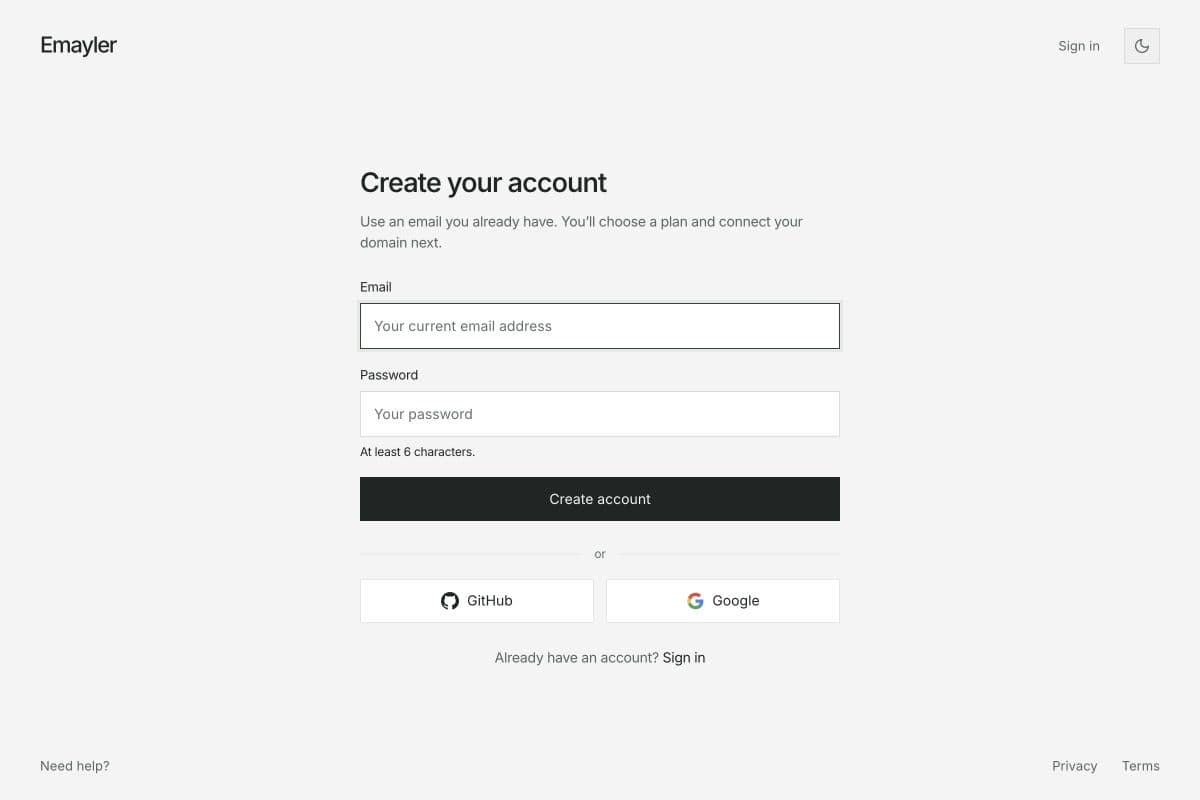
Create your Emayler account

Sign in again

Use Sign in on the website and the same method you used when you registered. If you forgot your password, choose Forgot password on the sign-in screen and follow the reset email.

Dashboard or inbox?

Use the dashboard to manage domains, mailboxes, billing and settings. Use the inbox to read and send email. A team member may only have access to the inbox and their assigned mailboxes.

Secure your account

In dashboard Settings, choose Add passkey to set up sign-in with your device or a security key. Keep access to your original sign-in method.

Need help signing in?

Check that you are using the correct email address and sign-in method. If confirmation or password-reset mail is missing, check Spam. Contact support if you still cannot get in.

PreviousHelp homeNextSet up your email
Emayler

Product

Bring your domainPricingInbox

Developers

Documentation

Company

ContactDashboard

Legal

Legal overviewPrivacyTermsAcceptable useDPASubprocessorsBilling & refundsCookiesReport abuse

© Emayler, 2026. All rights reserved.